
My HomeLab
Setting up a versatile homelab
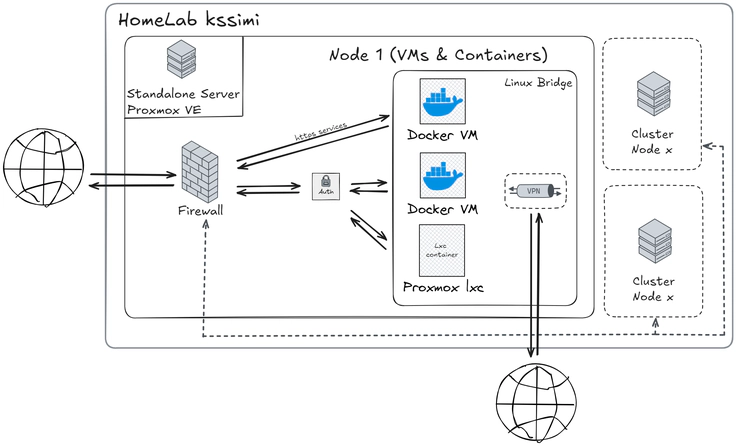 HomeLab Schema
After several years of renting VPS from different hosting providers, I ventured into managing my own HomeLab. As the name suggests, I now host my servers at home and deploy my services on these machines. I’d like to show you what this looks like in just a few minutes.
The Hypervisor : Proxmox
I chose Proxmox as the hypervisor because it’s very lightweight, easy to set up, and based on Debian. It allows for deploying virtual machines or Linux containers and utilizing them. To also be able to use Docker technology and its environment, I chose to virtualize several Linux virtual machines to deploy my containers. The various hosted services are under the control of a firewall with VPN access to reach these machines.
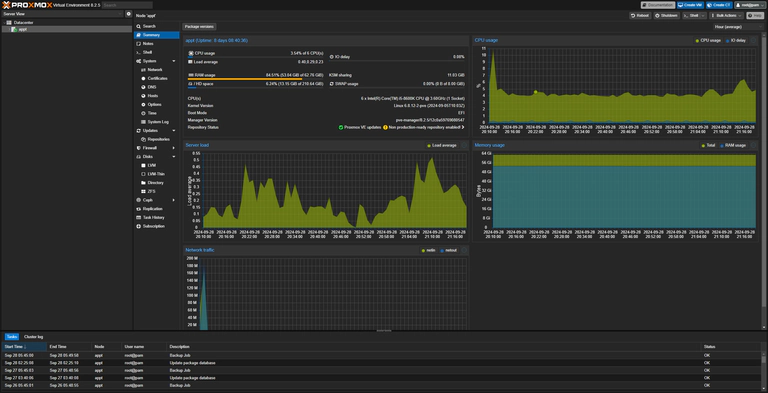
3 VM Debian :
- Main cloud services
- Dev et automation
- Game servers (encapsulated) 1 VM Windows (why not)
The Firewall
A firewall is set up to protect my virtual machines and LXC containers. It is configured to allow only HTTP/HTTPS protocol and mail protocols. Other ports are not authorized and are accessible only via VPN.
Proxy and Certificates
The services deployed on my virtual machines and LXC containers are accessible from the outside using nginx as a proxy (Docker container). It is also responsible for distributing SSL certificates to access the various services securely.
As for certificates, I have set up a cron job that automatically renews the certificates using certbot (Docker container).
Backups
Proxmox Backup Server, aka PBS, is configured to perform backups of my virtual machines and LXC containers every day. The files are stored on an SMB server using the CIFS protocol.
PBS allows for deduplication of backup files, which avoids unnecessary storage and increases the number of possible backups.
I have also set up a second PBS at my mother’s place (thanks, mom) to store backups less frequently for added security.